
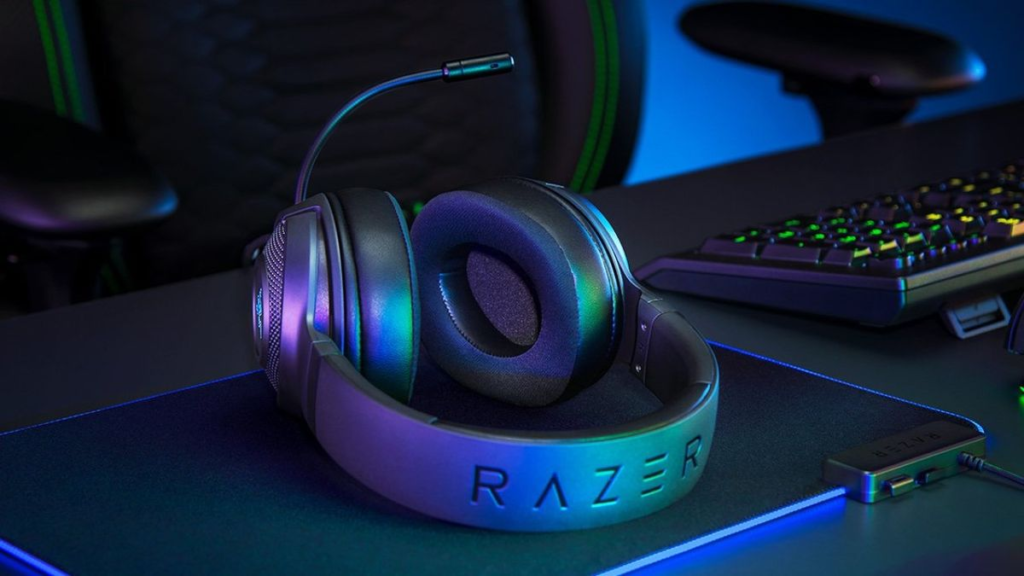
Gaming headsets are one of the most oversaturated categories in tech, and the marketing has gotten genuinely useless as a result. Terms like “7.1 surround sound” and “studio-grade microphone” show up on almost every box regardless of whether the hardware delivers them — that “7.1 surround” is usually software processing on a USB chip, not seven physical drivers. Real spatial audio in 2026 comes from Dolby Atmos on Windows/Xbox and Sony’s Tempest 3D on PS5, both running through the platform’s own audio engine rather than anything in the headset itself.
Platform compatibility deserves more attention than it gets, since it’s the most common source of buyer’s remorse. A headset built primarily for PlayStation may not connect wirelessly to Xbox at all, and a PC-focused dongle headset may not pair with a Switch. If you game across multiple platforms, triple-check compatibility before buying.
Microphone quality is where most gaming headsets fall short — it’s a compromise for staying wireless and compact, so don’t expect it to match a dedicated USB mic at the same price. The better mics handle Discord and in-game chat clearly, with a few flagship models approaching podcast-grade; budget and mid-range mics are fine for gaming but sound thin on calls where audio quality actually matters. As for wireless reliability, “buy wired for reliability” no longer holds across the board — 2.4GHz on current flagship and mid-range headsets is stable and low-latency enough that most players can’t tell it apart from wired. Bluetooth is still the one to avoid for gaming itself, though it’s a handy secondary connection for calls or music alongside 2.4GHz.
Here’s a quick side-by-side before the full breakdown of each pick.
| Product | Connection | Battery Life | Platform | Best For |
|---|---|---|---|---|
| SteelSeries Arctis Nova Pro Wireless | 2.4GHz + Bluetooth | Unlimited (hot-swap) | PC, PS5 | Best overall wireless gaming headset |
| HyperX Cloud III | Wired USB-A / 3.5mm | N/A (wired) | PC, PS5, Xbox, Switch | Best wired value under $80 |
| Audeze Maxwell 2 | 2.4GHz + Bluetooth | 80+ hours | PC, PS5 or Xbox (version-specific) | Best audiophile sound in a gaming headset |
| Astro A50 X | 2.4GHz + Bluetooth | ~24 hours | PC, PS5, Xbox (simultaneously) | Best for multi-console households |
| Turtle Beach Stealth 700 Gen 3 | 2.4GHz + Bluetooth | ~40 hours | PC, PS5, Xbox, Switch | Best all-platform headset with glasses comfort |
SteelSeries Arctis Nova Pro Wireless
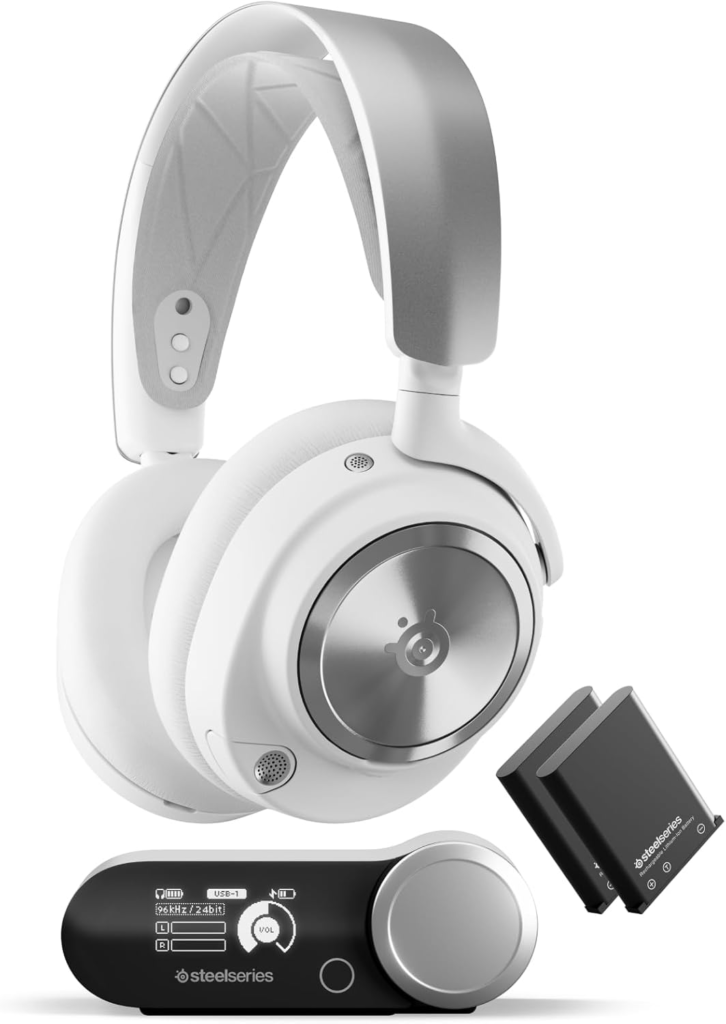
Multiple independent testing sources including The Modern Observer, Gaming PC Guru, and Switchblade Gaming named this the best overall wireless gaming headset in 2026, and the reason comes down to two genuine engineering solutions rather than spec inflation. The hot-swap battery system ships with two batteries and a base station charger — when one runs low, you swap in under five seconds without removing the headset, eliminating the dead-battery-mid-match frustration entirely.
The four-driver speaker configuration with two full-range drivers and two tweeters per ear produces audio that independent testers noted competes with dedicated audiophile headphones rather than just other gaming headsets. Simultaneous 2.4GHz and Bluetooth let you take a phone call while your game continues in the background. The main limitation is platform: it’s optimized for PC and PS5, and Xbox compatibility is more limited than the console-agnostic options here.
Best for: PC and PS5 players who want the best overall wireless experience with zero battery downtime.
HyperX Cloud III
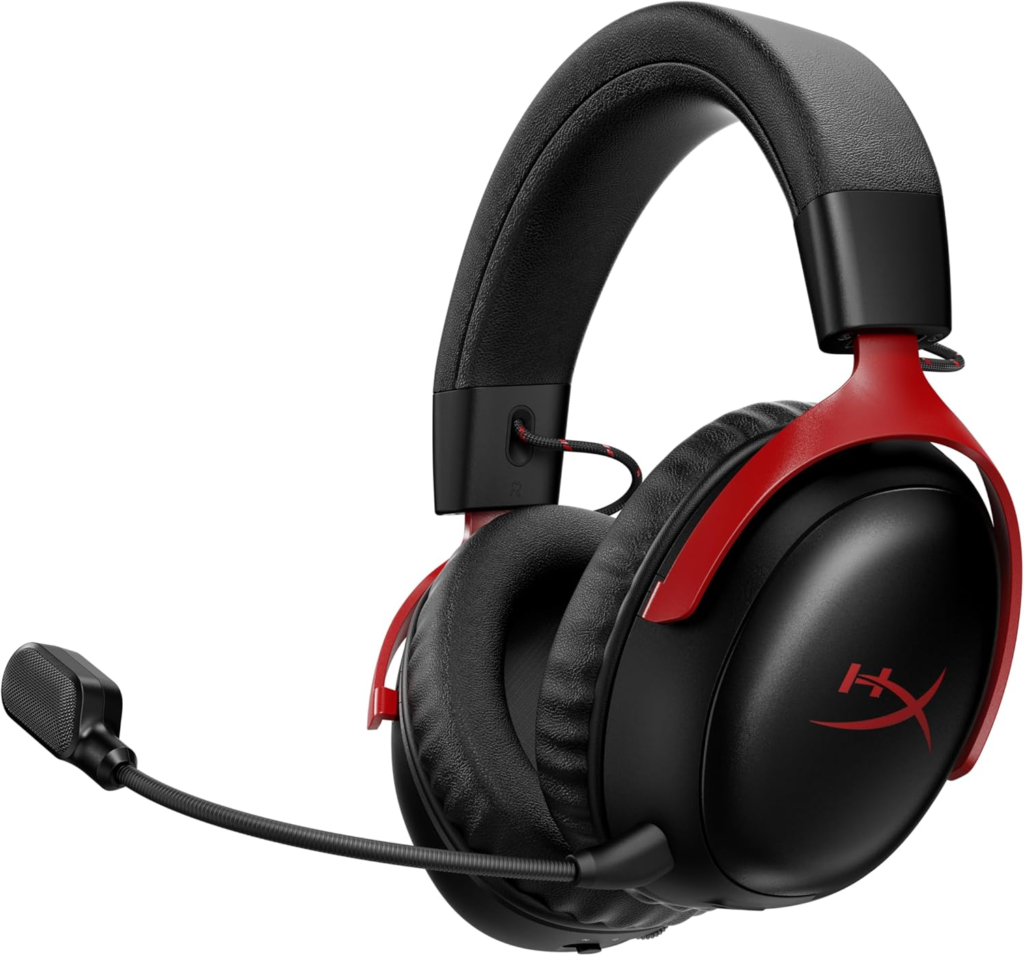
At around $80, this is the headset that makes it genuinely difficult to justify spending more for many buyers, and independent testers consistently single it out as delivering driver quality and build durability that belongs in a significantly higher price tier.
The 53mm drivers are the largest available at this price point, and HyperX’s tuning avoids the thin treble and muddy bass that typically defines budget gaming audio. An aluminum frame with memory foam leatherette ear pads holds up to daily use in a way cheap plastic constructions don’t. USB-A for PC with DTS Headphone:X virtual surround, or 3.5mm for every console and mobile device — no drivers to install, no software required, no batteries to charge.
For competitive players who want a wired connection’s zero-latency advantage on a budget, or for a backup headset that just works everywhere, it’s one of the most defensible purchases in the entire category.
Best for: budget-conscious buyers and wired gaming advocates who want proven driver quality without wireless complexity.
Audeze Maxwell 2
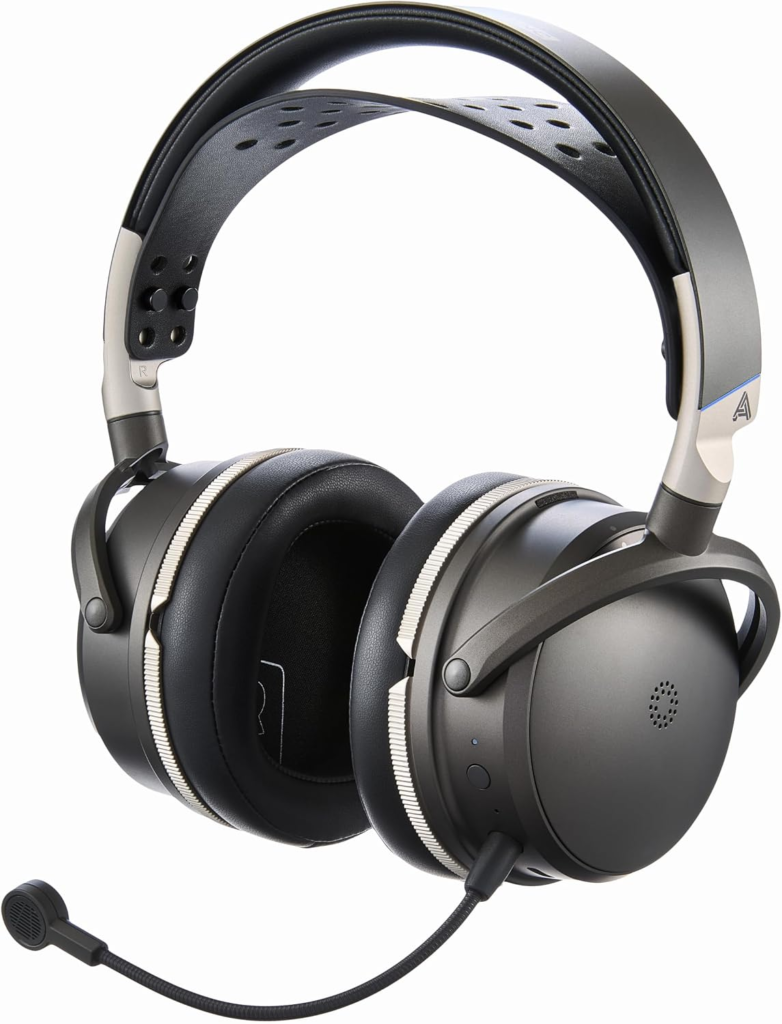
RTINGS named this the best gaming headset they’ve tested, combining audiophile-grade planar magnetic drivers with a feature set specifically designed for gaming — and that combination is genuinely rare in a category where audio quality often takes second place to RGB lighting and gimmicky surround modes.
The planar magnetic drivers deliver a level of detail, soundstage width, and instrument separation that dynamic-driver gaming headsets simply can’t match, and the over-80-hour battery life on 2.4GHz wireless is among the longest in the category. AI noise suppression on the microphone handles background noise better than most gaming headset mics. Platform note worth knowing: it comes in separate PlayStation and Xbox variants, and the Xbox version costs slightly more due to an embedded Dolby Atmos license. Buy the version that matches your primary platform.
Best for: players who want the best possible audio quality and are willing to pay a premium for planar magnetic drivers in a gaming headset.
Astro A50 X
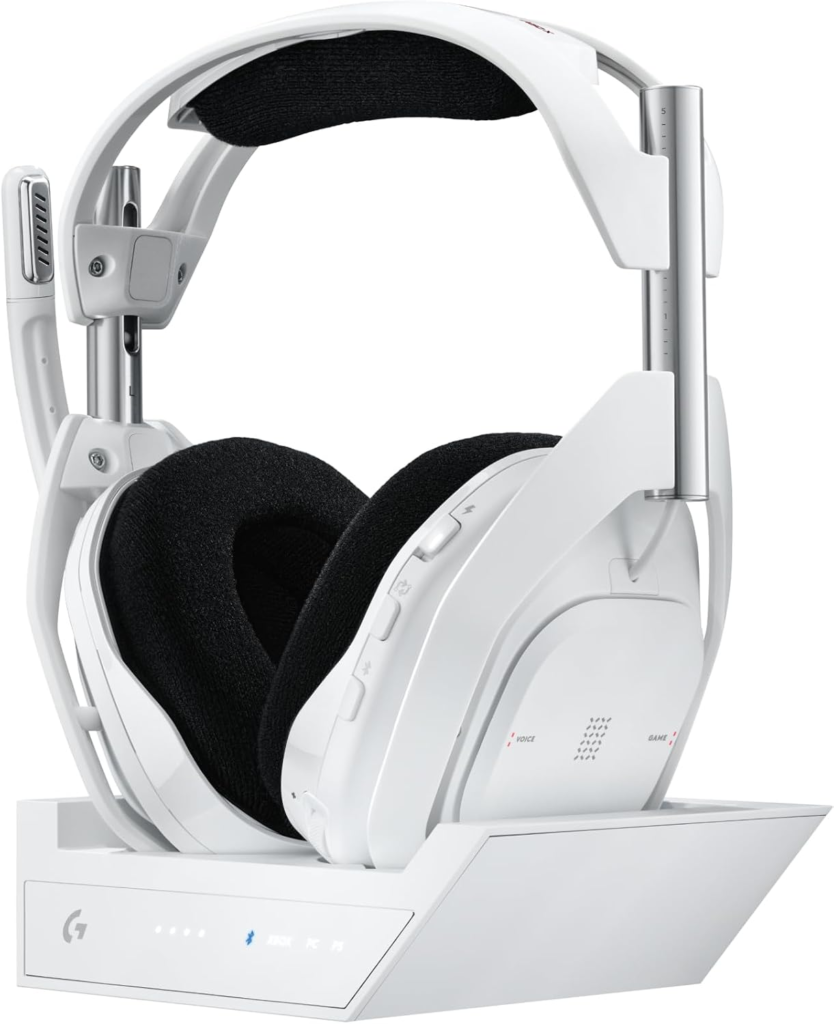
This is the pick for multi-console households that want one headset connecting to everything simultaneously rather than managing separate dongles or re-pairing between devices. Its base station connects to PS5, Xbox Series X, and PC all at once, functioning as an HDMI switcher so you can swap platforms with a single button press on the dock — audio follows the video input without any manual reconnection.
Simultaneous 2.4GHz and Bluetooth lets you keep a phone connected for Discord or calls while gaming on any of those platforms. Switchblade Gaming specifically noted that this solves a real problem no other headset addresses as cleanly. The honest trade-off is that the headset requires the base station to function — wireless doesn’t work without it powered and connected, which makes it less flexible if you want to use the headset away from your desk.
Best for: players who rotate between PS5, Xbox, and PC and want seamless one-button platform switching without re-pairing.
Turtle Beach Stealth 700 Gen 3
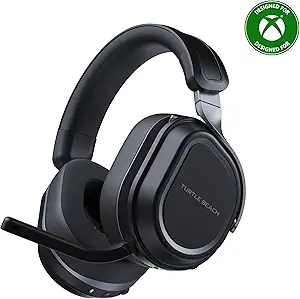
This is the most versatile all-platform wireless headset in the mid-range tier, and it earns a spot on this list partly for a design detail that most headset reviews barely mention: glasses-friendly ear cushions with a channel cut into the foam that relieves pressure on glasses arms.
For the significant share of gamers who wear glasses and have experienced temple pain after long sessions, that design choice alone makes this headset meaningfully more comfortable than competitors that treat glasses-wearers as an afterthought. Beyond that, a physical flip-to-mute mic boom eliminates fumbling for a button during competitive moments, auto-connect pairing for PS5 and Xbox via USB-C dongle reduces setup friction, and simultaneous 2.4GHz and Bluetooth means phone audio can run alongside game audio. Platform coverage is genuinely broad — PC, PS5, Xbox, and Switch.
Best for: glasses-wearing gamers and multi-platform households who want solid wireless performance at a mid-range price.
Frequently Asked Questions
Is “7.1 surround sound” in a gaming headset actually real? Almost never in a literal hardware sense — most gaming headsets have two drivers per ear cup, and “7.1 hardware surround” on the box generally refers to software processing on an onboard USB chip rather than seven physical drivers. Real spatial audio in 2026 comes from Dolby Atmos on Windows and Xbox, and Sony’s Tempest 3D on PS5, both platform-level audio engines that work with any headset.
Is wireless reliable enough for competitive gaming, or should I use wired? 2.4GHz wireless on current headsets is reliable and low-latency enough that most players genuinely can’t distinguish it from wired in real play. Bluetooth is the connection to avoid for competitive gaming specifically — it introduces variable latency that’s perceptible in fast-paced titles. If you specifically need zero-latency certainty for high-level competitive play, wired is still the safest choice.
Do gaming headset microphones actually sound good for calls and streaming? Gaming headset mics are optimized for voice clarity in game chat and Discord rather than recording or streaming quality, and most land somewhere between “adequate for gaming” and “noticeably thin for anything else.” A few flagship models get closer to podcast quality, but for serious streaming or recording, a dedicated USB microphone remains meaningfully better than any gaming headset mic at a comparable price.
What’s the difference between 2.4GHz wireless and Bluetooth for gaming? 2.4GHz proprietary wireless connections poll at much higher rates than Bluetooth and deliver lower, more consistent latency — reliable for competitive gaming where input timing matters. Bluetooth introduces variable latency that can be perceptible in fast-paced games but is fine for music and phone calls. The best headsets now offer both simultaneously, letting game audio come through 2.4GHz while phone audio runs over Bluetooth at the same time.
Can I use a PlayStation headset on Xbox, or are they locked to one platform? Some headsets work across platforms and some don’t — this varies significantly by model rather than being a universal rule. Always check a specific headset’s listed platform compatibility rather than assuming a wireless headset works everywhere, since wireless chipsets sometimes support only one console ecosystem natively.
Does battery life matter as much as manufacturers suggest? It matters for your actual usage pattern rather than an absolute number. A 40-hour battery that survives a full gaming week before needing a charge is practically different from a 20-hour battery that needs charging after every other session. The SteelSeries hot-swap approach makes battery life irrelevant entirely, which is a genuinely different solution to the problem.
Is a gaming headset worth buying over a regular pair of headphones plus a separate mic? For competitive gaming and convenience, a gaming headset’s integrated mic and platform compatibility make it the simpler, more practical choice. For the best audio quality at a given budget, a good pair of headphones plus a dedicated microphone almost always sounds better than a gaming headset at the same combined price, but with more setup and desk space required.
What makes a headset comfortable for long gaming sessions, and what should I look for? Clamping force, ear cup depth, headband padding, and overall weight are the four variables that determine long-session comfort more than any material description in the product listing. Memory foam ear pads stay more comfortable over time than basic foam. Glasses wearers specifically should look for headsets that explicitly address glasses pressure, since most don’t.
The right gaming headset comes down to matching platform compatibility, wireless reliability, and audio priority to your actual setup — a PC-only player and someone rotating between three consoles need genuinely different products. Double check current pricing on Amazon before buying, since gaming headsets see frequent discounts, especially around major shopping events and new game launches.
SEE MORE
This article contains affiliate links.